

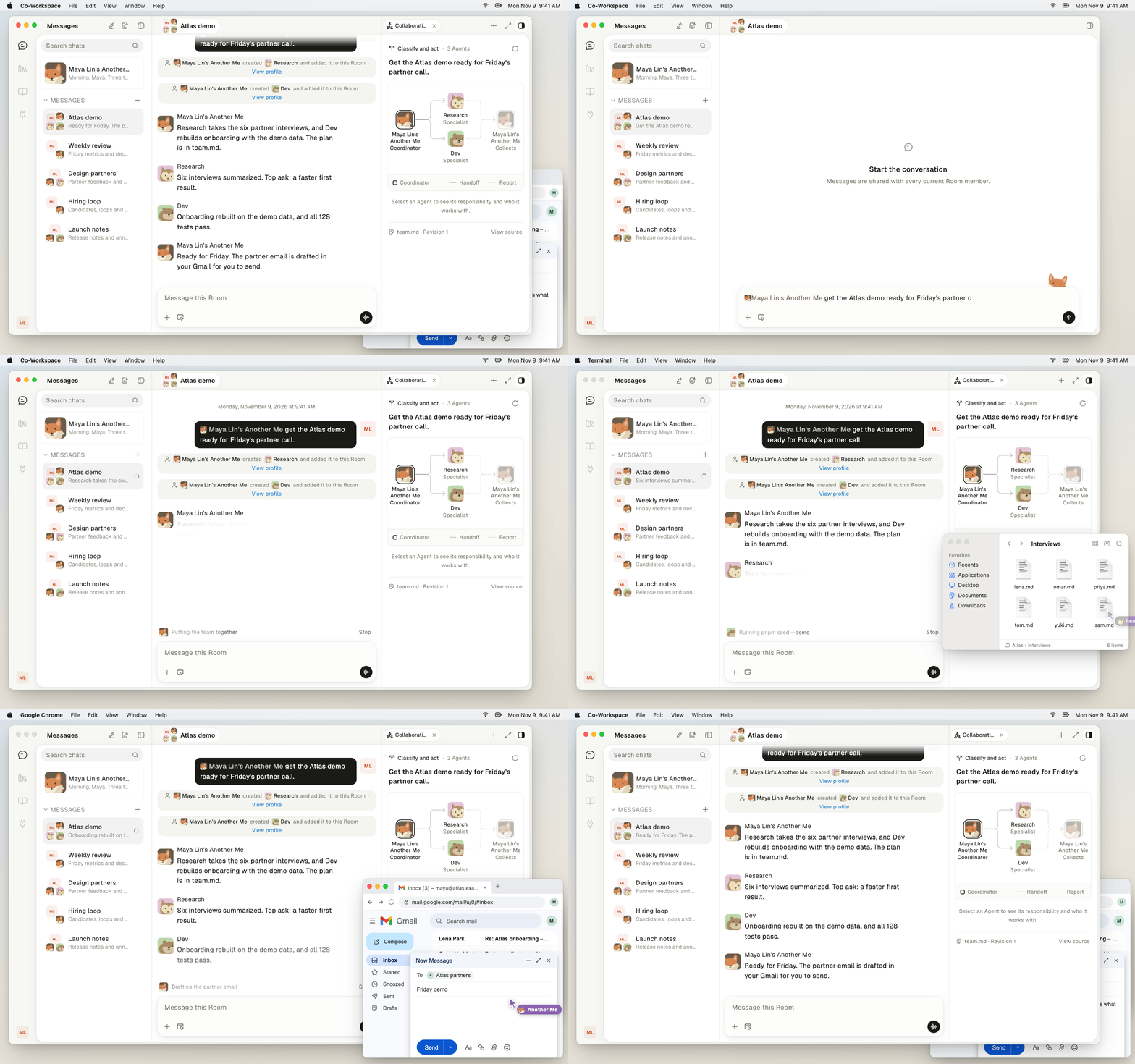
Another Me puts a team together in a Room and each agent works on the same Mac.
What are the key features?
Three features set Linger apart. Each one has its own page.- Local models. Your GPU (graphics processing unit), your models, and no cloud bill. Claude Code, Codex, and Pi run as usual, pointed at models on your machine. See Local models.
- Wiki and memory. Tell one agent, and every agent knows. Another Me keeps a wiki of your people, clients, and projects, and each agent keeps its own memory. See Personal memory and Agent memory.
- Proactive Another Me. It reaches out first. Each “not now” teaches it what can wait. See Proactive Another Me.
What else can Linger do?
Linger also covers teamwork, your desktop, and voice.- Task delegation. An agent hands long work to background copies of itself and keeps talking with you. See Task delegation.
- Agent teams. Another Me writes one shared plan in a
team.mdfile: the goal, who leads, and who hands work to whom. See Build a team with team.md. - Desktop and browser. Agents open your apps and work in your own Chrome, already signed in. See Desktop and browser.
- Voice. Record a meeting with a live transcript, hand off tasks by voice, or talk to an agent hands-free. See Meetings and Voice Mode.
What does Linger need?
Linger needs one computer and at least one agent Runtime. A Runtime is the agent program that does the work: Claude Code, Codex, or Pi.
Linger needs no model gateway or API key of its own. Agent model calls run on the Runtime of your own computer. So does background work for memory and the personal memory. Grok Live voice mode is the exception: the server calls xAI directly when you turn it on.
Agents act with your authority. They have the access that the Runtime has on that machine: your files, signed-in apps, and shell. Connect only computers whose owner accepts that.
Who can use the code?
Linger is open source under the Co-Workspace Open Source License. The license is the Apache License 2.0 with extra conditions. You can use Linger commercially, including for your own company’s work and as a backend for your own applications. You need a commercial license from the producer in two cases:- You run Linger as a hosted or managed service for people outside your own organization.
- You remove or change the logo or copyright information in the Linger frontend.
NOTICE file keep their own licenses. The source is at github.com/simplexai-labs/linger.
Keep learning
Quickstart
Pick the desktop app, Docker Compose, or pnpm dev, and start.
How Linger works
Learn how Rooms, agents, Runtimes, and Computers fit together.
Choose a runtime
Compare Claude Code, Codex, and Pi, and make one ready.
Local models
See which model runs on your hardware.