

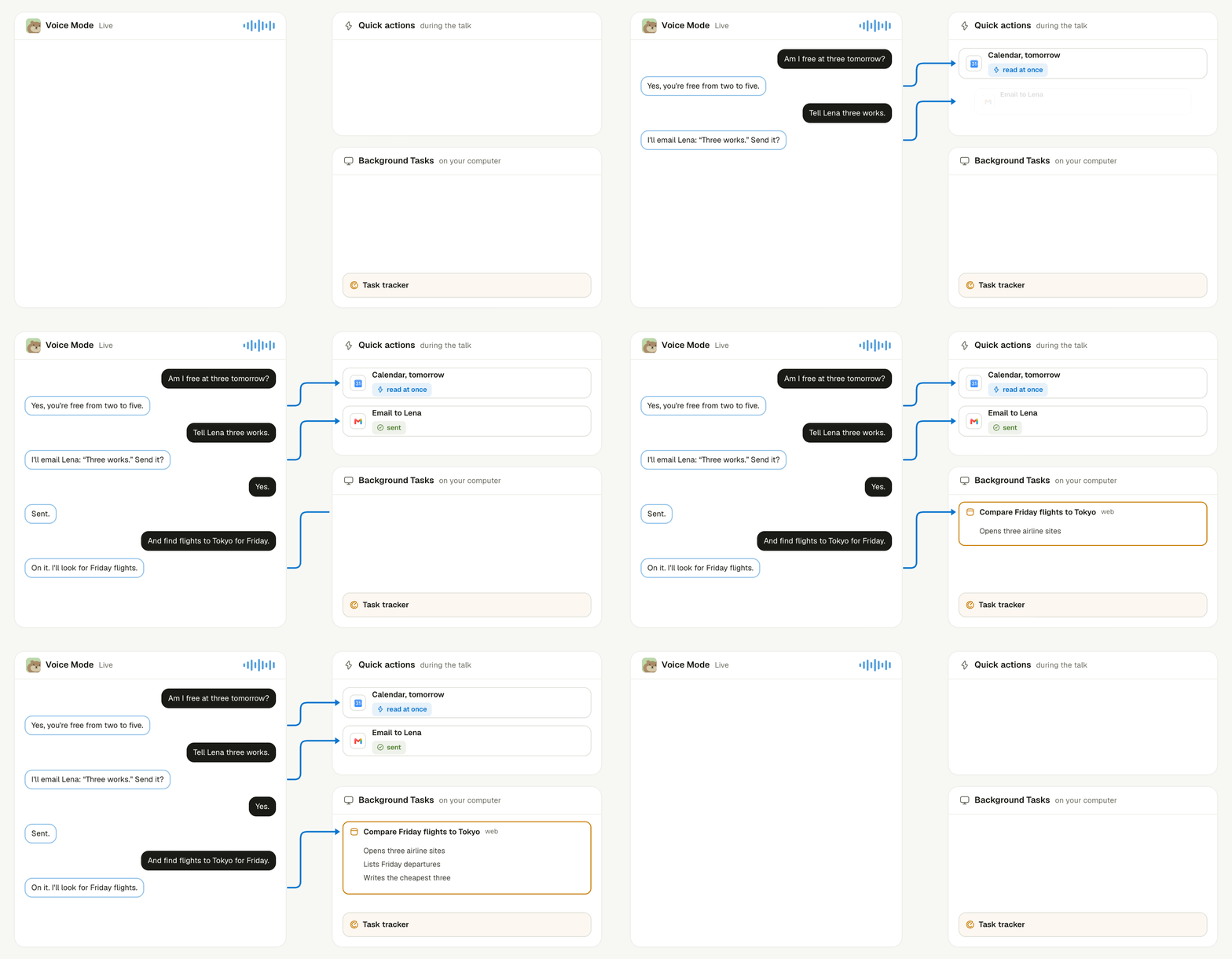
A Live call: quick answers during the talk, an email that waits for your yes, and a background Task that reports back.
Which form do you get?
Select Start Voice Mode in a chat. What it does depends on the keys your server has.How does dictation work?
Dictation writes what you say into the message box, and you send it as an ordinary message. It does not separate speakers.How does a Live conversation work?
Live opens in a small floating window, so you can keep using Linger while you talk. You can drag it, mute your microphone, or turn its spoken replies off. Say you are done, or select End Voice Mode, to finish. Live knows what you are looking at. It can read the page in front of you and act on it, and you can select Add to voice on a message or file to hand it to the conversation. It also knows today’s Pocket Note and your recent messages.How does Live get things done?
Live keeps talking with you and decides how each request gets done. Quick things, such as reading your mail or checking the calendar, run during the talk, and you hear the result right away. Longer work, such as research, a draft, or steps on the web or your computer, becomes a background Task on your computer, and several can run side by side. A task tracker watches those Tasks while you talk. When one finishes, needs an answer, waits for an approval, or fails, Live brings it up at a natural moment, after you finish speaking or with a “by the way”. It sums up the result and posts the full version to your chat. When a Task needs something from you, Live asks, and passes your answer back so the Task goes on.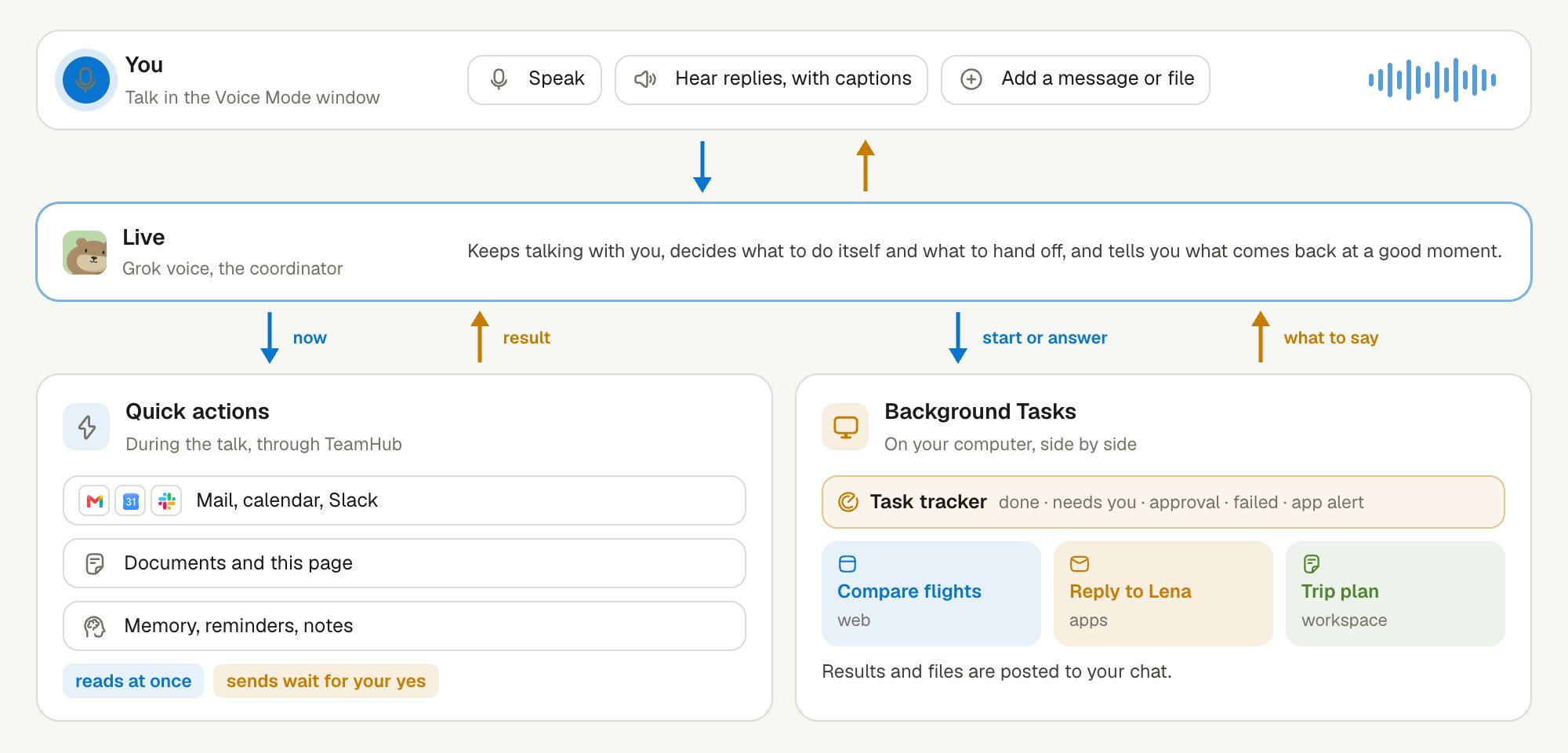
Live coordinates the call: quick actions run during the talk, and longer work runs as background Tasks.
What can Live do?
Live acts with your own access, through the same connected apps and agents you use in chat.- Mail and calendar. Search and read mail, draft a reply in an email draft and send it, read your calendar, and find a free time.
- Slack. Check your Slack inbox, search and read messages, and post a reply.
- Documents. Find, read, create, and edit documents, and add or reply to comments.
- Background work. Start a Task, follow its progress, answer its questions, or cancel it. When a Task reports back, Live tells you out loud.
- Reminders and notes. Set or change a reminder, add to your Pocket Note, and check what you are following up on.
- Memory. Search your personal memory for something said or decided before.
- More. Answer an approval card, create an agent, and use the browser for you.
How does Live stay safe?
Live asks before anything that reaches other people or cannot be undone. Before it sends mail, posts to Slack or a Room, comments, sets a reminder, answers an approval, creates an agent, or submits something in the browser, it says what it is about to do and waits. It acts only after you say yes in your own next turn, and it never answers that question for you. Reading runs at once. So do document edits, which you see change in the side panel as Live writes. Live turns stay in the Room’s history, so you can read them later. Other agents in the Room do not pick them up as requests.Keep learning
Meetings
Record a meeting and ask about it while it runs.
Task delegation
See how background Tasks run and report back.
Approvals
See which actions wait for your confirmation.
Enable voice
Set the voice keys on your server.