

SONIOX_API_KEYturns on recording, dictation, and archive recovery. Linger uses Soniox for streaming speech recognition.XAI_API_KEYturns on Grok Live voice mode. Live does not need Soniox.
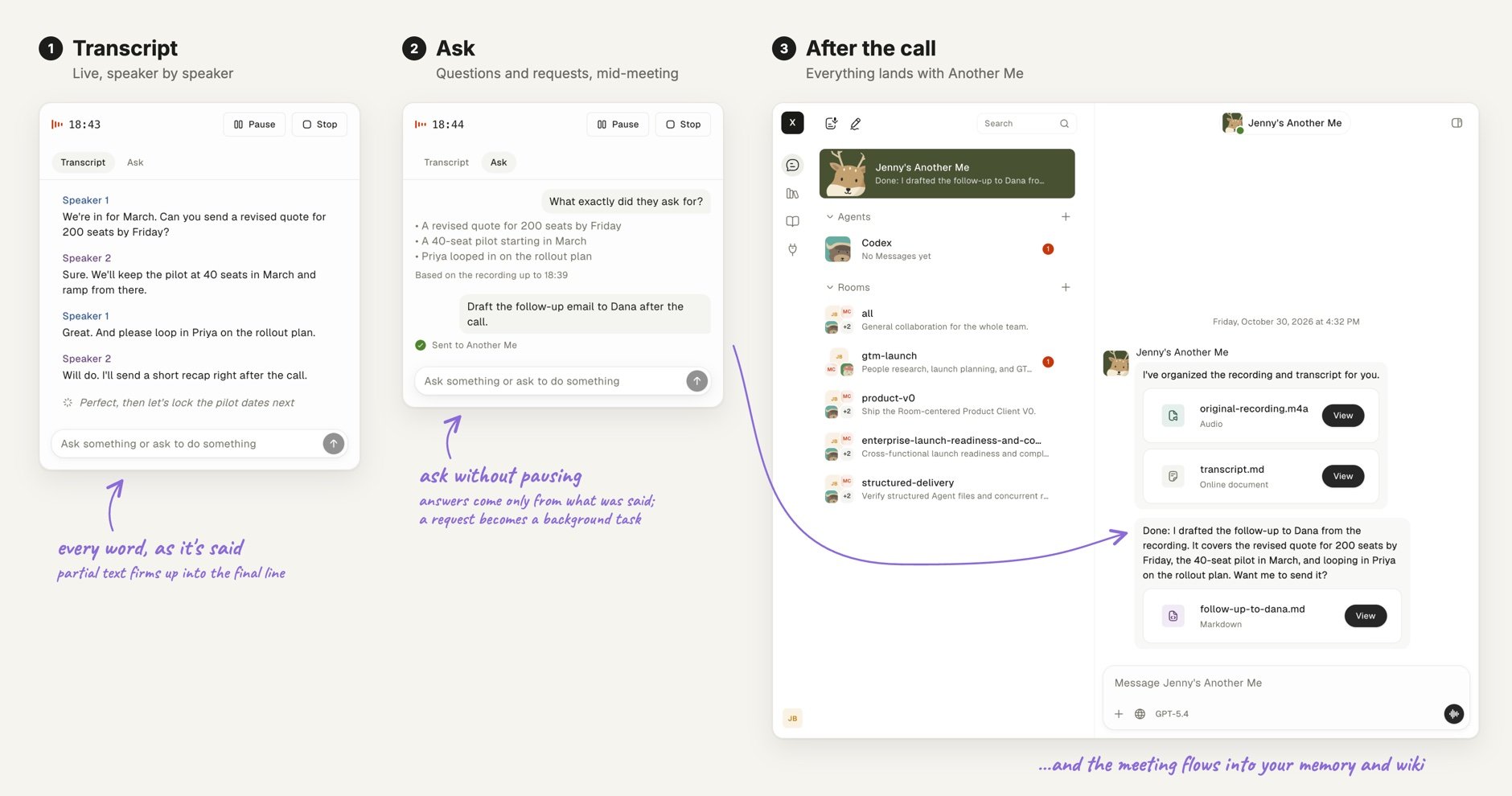
A recording with a live transcript.
Add your voice keys
Get a Soniox key from soniox.com and an xAI key from xAI. Then set the keys on a Docker Compose install.1
Edit .env
Set the key for each path you want in the Leave a key empty to keep its path off.
.env file of your checkout:2
Apply the change
Which key turns on which feature?
Each voice feature depends on one key. An empty key keeps its feature off.
Recording transcripts separate speakers. Dictation does not. In Live, your captions come from Grok’s own transcription, not from Soniox. Each voice worker takes a limited number of sessions at a time.
Can I use the microphone from another computer?
Only over HTTPS. Browsers allow the microphone only onlocalhost or HTTPS. Voice from another computer needs an HTTPS proxy in front of port 3000.
HTTPS may not be enough on its own. Browsers connect to LiveKit at LIVEKIT_URL, not through port 3000. Serve other computers on your network explains this limit. Test a real recording from another computer before you rely on it.
Do I need to configure LiveKit?
Not on Docker Compose with the defaults.LIVEKIT_URL, LIVEKIT_API_KEY, and LIVEKIT_API_SECRET default to the LiveKit service in the root docker-compose.yml and its development key pair.
The LiveKit server takes the same key pair as the Linger services. If you change the pair, change both sides together. A production server uses its own pair.
Run voice in a development checkout
pnpm dev starts no containers. While SONIOX_API_KEY or XAI_API_KEY is set in .env, it runs livekit-server from your PATH on the ports and keys of the three LIVEKIT_* variables. Install it first: brew install livekit on macOS, or curl -sSL https://get.livekit.io | bash on Linux. Without it, pnpm dev prints how to install it and voice cannot connect. The Node services start the voice workers themselves.
Recordings also need FFmpeg. Put ffmpeg and ffprobe on the PATH of the server process. Contribute covers the rest of the development setup.
Keep learning
Meetings
Record a meeting with a live transcript.
Voice Mode
Talk to Linger by dictation or in a live conversation.
Serve other computers on your network
Put HTTPS in front of port 3000.